Introduction
Zhumu supports automatic grooving for vertically intersecting panels, such as creating notches at the intersections of panels in multi-compartment shelves. [Multi-compartment shelves are parametric components, and the intersecting panels have been pre-configured in the backend.]
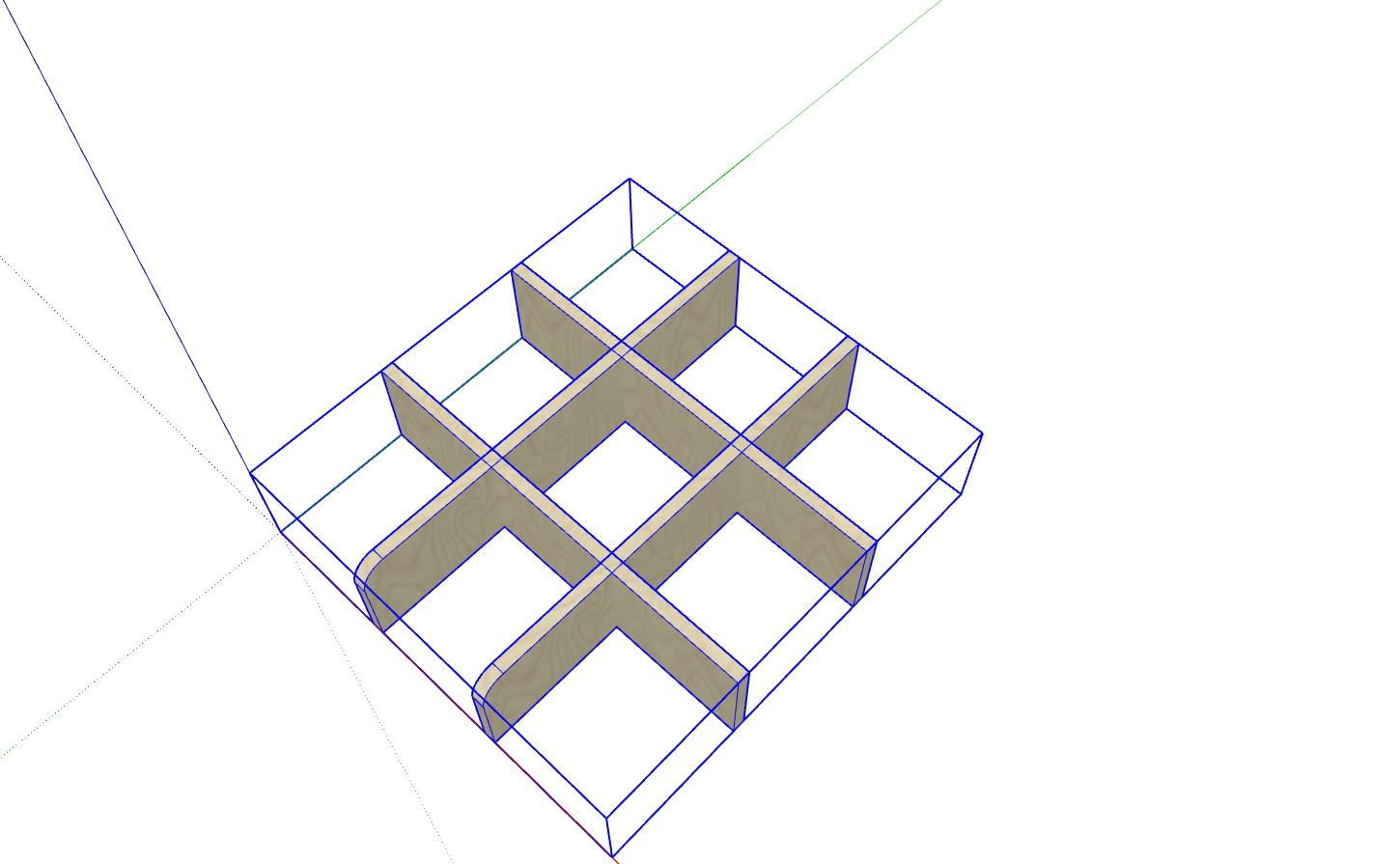
How to Enable Automatic Grooving for Intersecting Panels
- Create intersecting panels as shown in the two different intersection directions below. [Each type of intersection is an independent custom cabinet, not just individual panels]
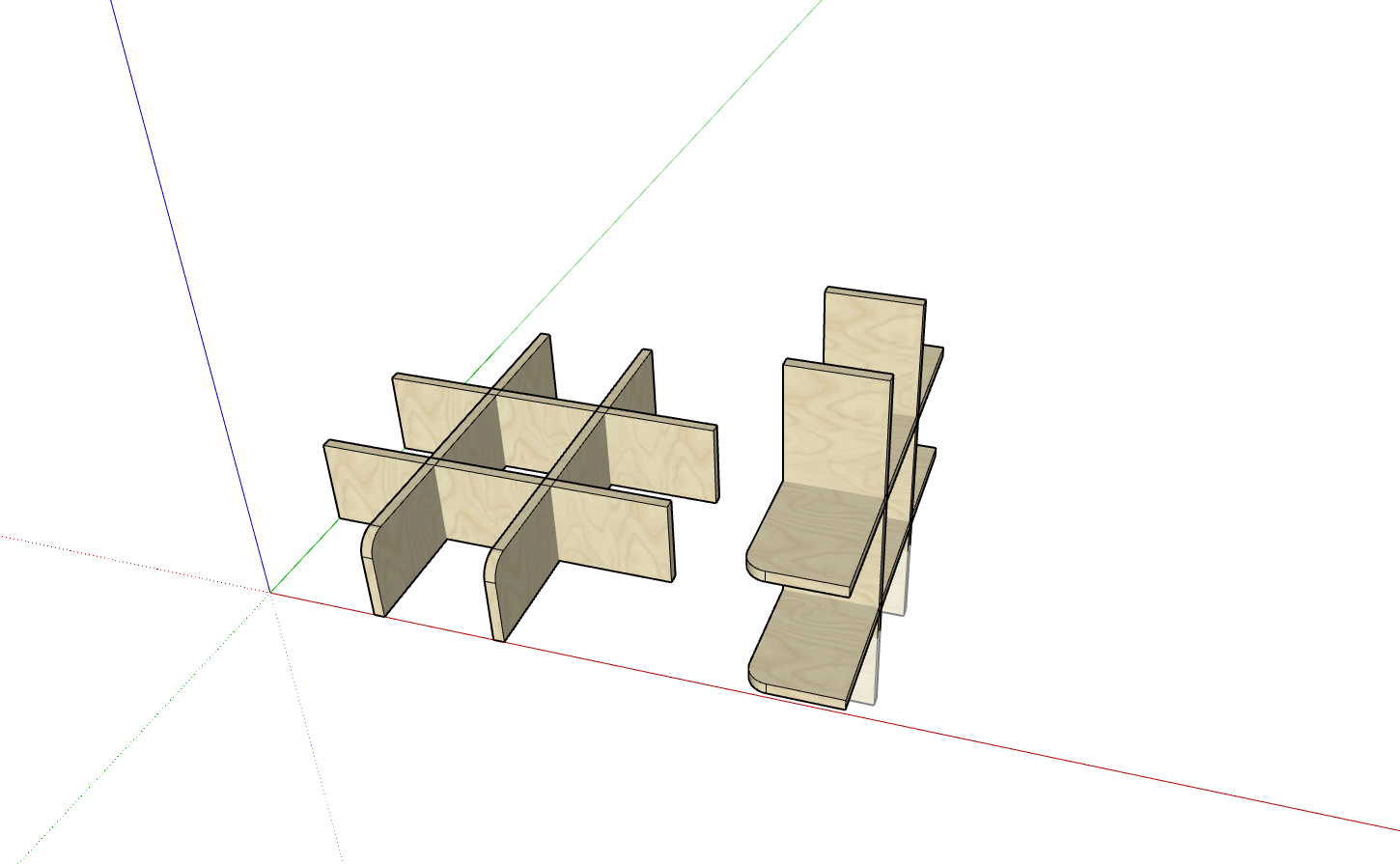
- Select one type of cabinet, double-click to enter and select the panels inside, then edit the parameter information as follows. [Primarily modify their names]
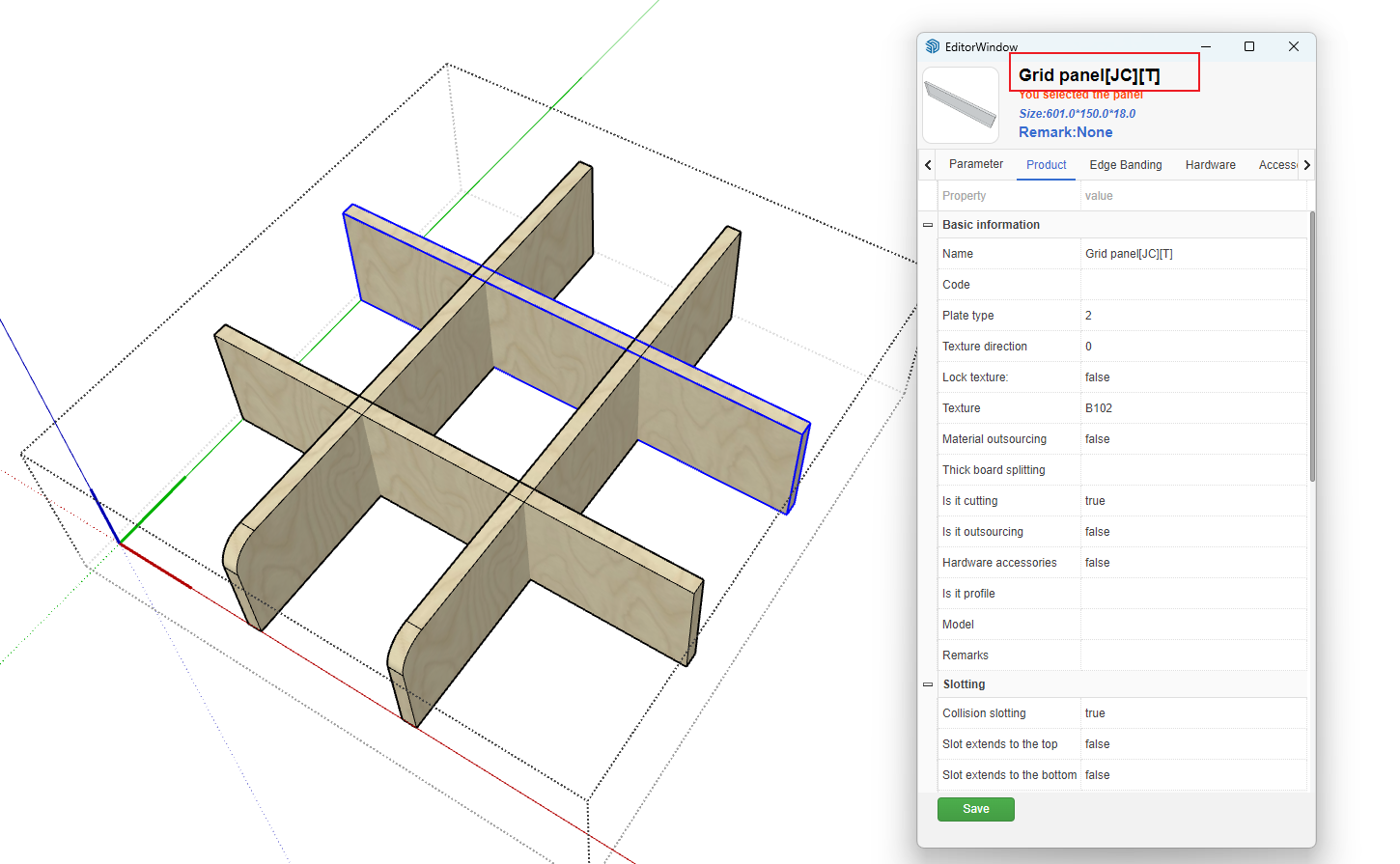
- Name Explanation
- Panel names consist of Chinese names, [], and English characters
- [JC] represents intersection grooving processing
- [T] represents grooving on the top of the panel [This panel's intersection groove is on the top, and the panel intersecting with it should be written as [B], meaning grooved on the bottom]
- Groove positions are represented by specific character strings:
- T: Top
- B: Bottom
- F: Front
- BA: Back
- L: Left
- R: Right
How to Control Groove Depth and Width Allowance
- Although the above processing enables automatic grooving for intersecting panels, the groove width and depth are set to the panel thickness and half of the intersection respectively. Considering installation requirements, it's necessary to control the groove depth and width allowances to make the depth larger and the width larger.
-
Processing Method:
- Open Global Settings, click More Parameters, and configure as follows:
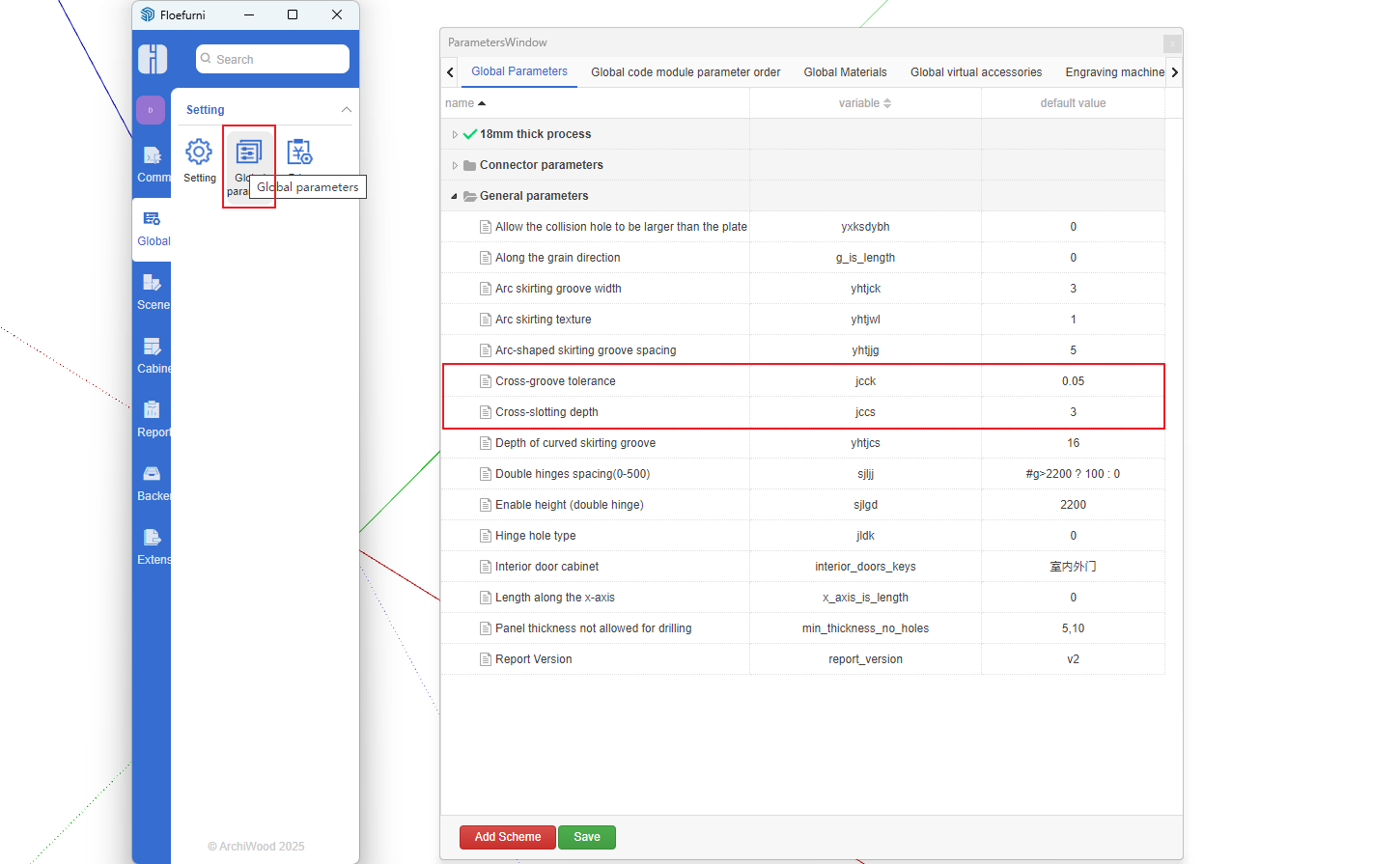
- Open Global Settings, click More Parameters, and configure as follows:
Parameter jccs represents groove depth allowance
Parameter jcck represents groove width allowance

