Introduction
The Zhumu Furniture Design System allows quick insertion of door panels by picking internal spaces and using codes. These door panels automatically include hinge data for easy report statistics. Zhumu adds door panels through coded inputs, with codes following specific patterns for convenient usage.
Overlay Door Panel Codes
In door panel codes, 0 represents vertical partitions, 1 represents door panels (except for left/right single doors which have special rules)
- Left Single Door: 10
- Right Single Door: 01
- Double Door: 11
- Triple Door: 1101, 1011 (representing left double + right single, and left single + right double respectively)
- Four-door: 11011
- Five-door: 1011011, 1101101
- Six-door: 11011011
- Top-opening Door: 1000
- Bottom-opening Door: 0001
Sliding Door Codes
- Sliding Door: 10001
Inset Door Panel Codes
- Inset doors only support left single, right single, and double doors
- Left Door Code: 100
- Right Door Code: 001
- Double Door: 101
Inset Locking Door Panels
- Locking Left Door: 4100
- Locking Right Door: 0014
Overlay Locking Door Panels
- Locking Left Door: 410
- Locking Right Door: 014
How to Insert
- Activate the "Pick Internal Space" icon -> Pick internal space
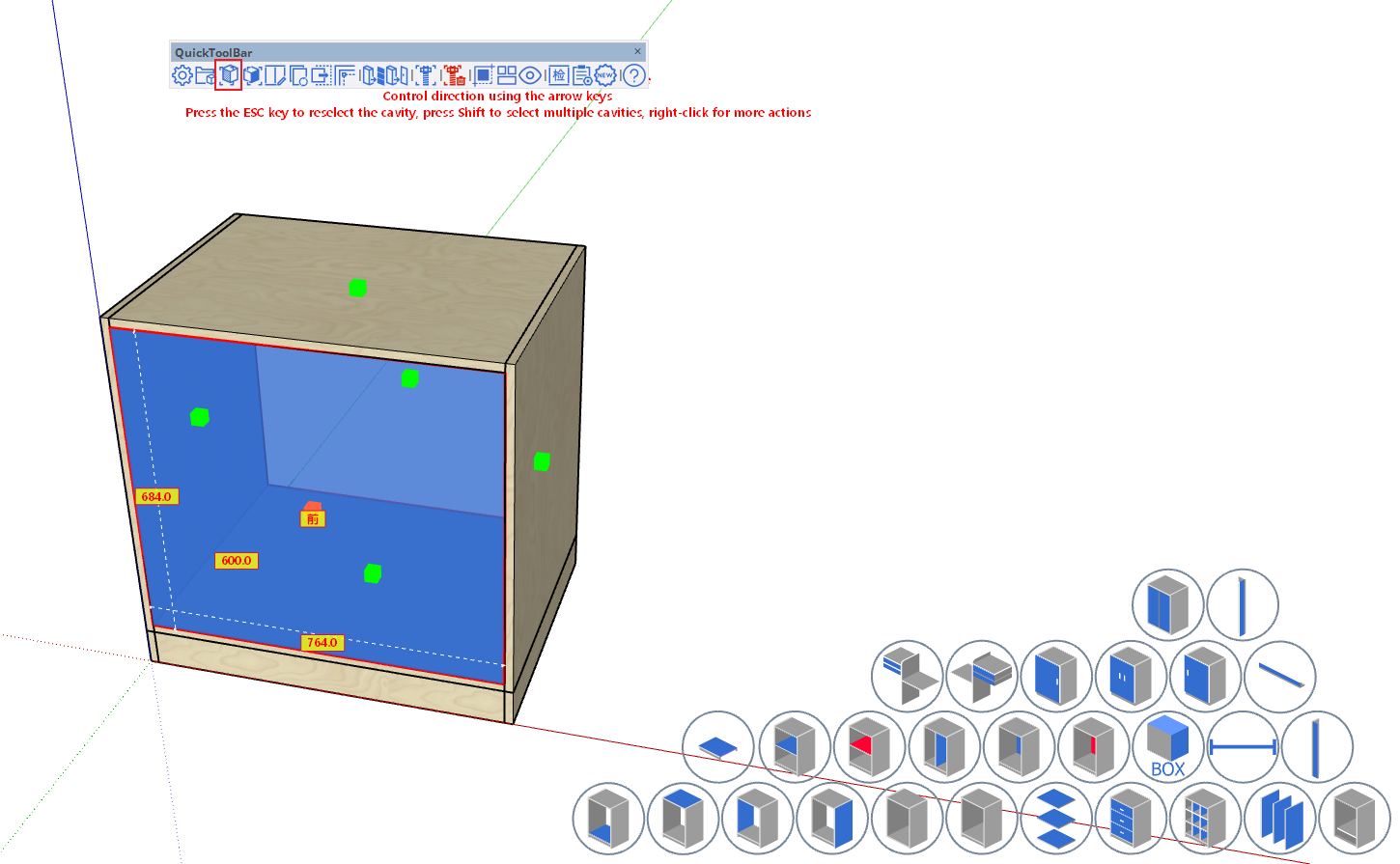
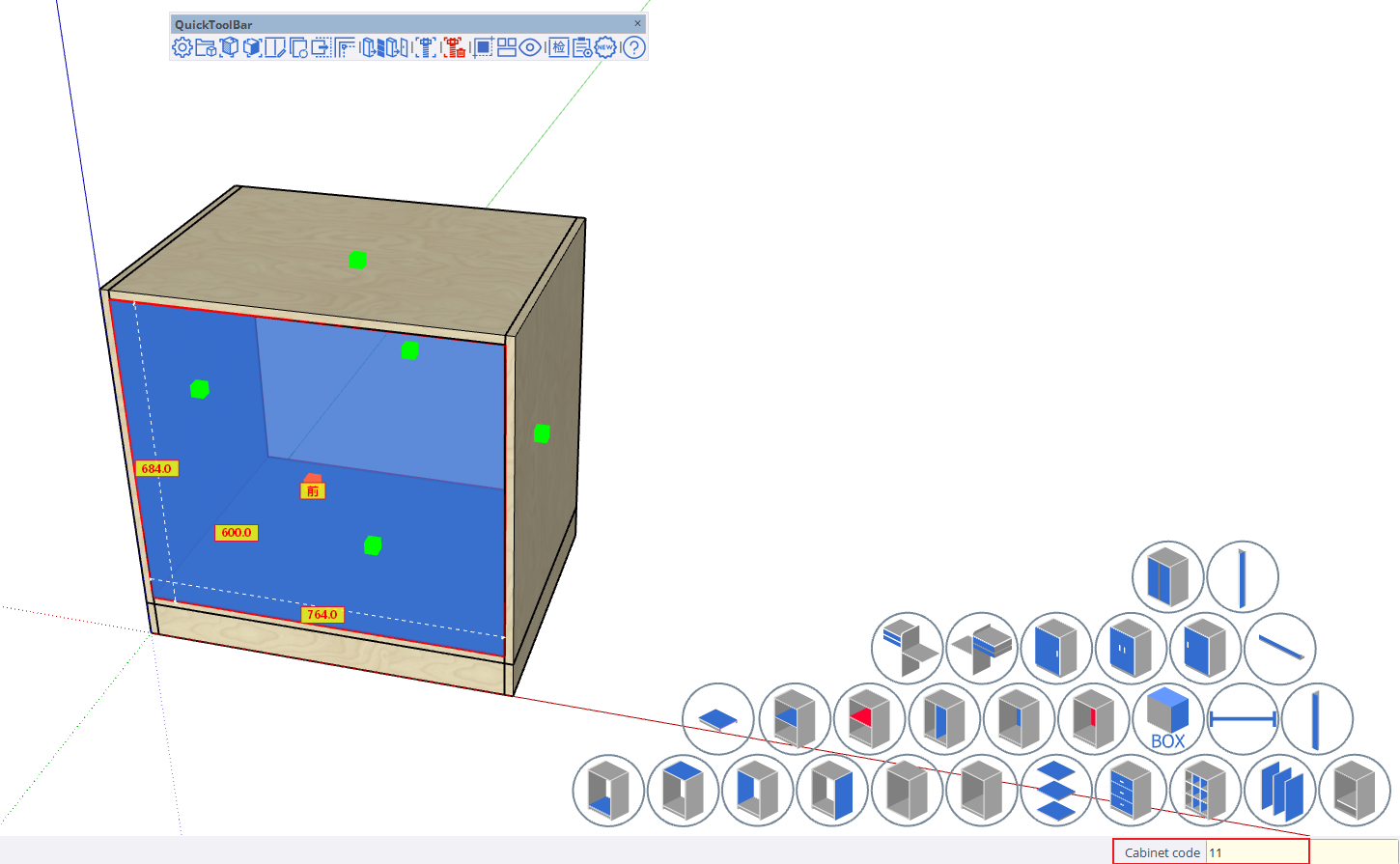
- For single internal space door insertion, after picking the space, directly input the code (e.g., for double door) 11 and press Enter.
When inserting door panels that overlap with current door panels in other internal spaces, the door panels will automatically inset by the overlay value.
-
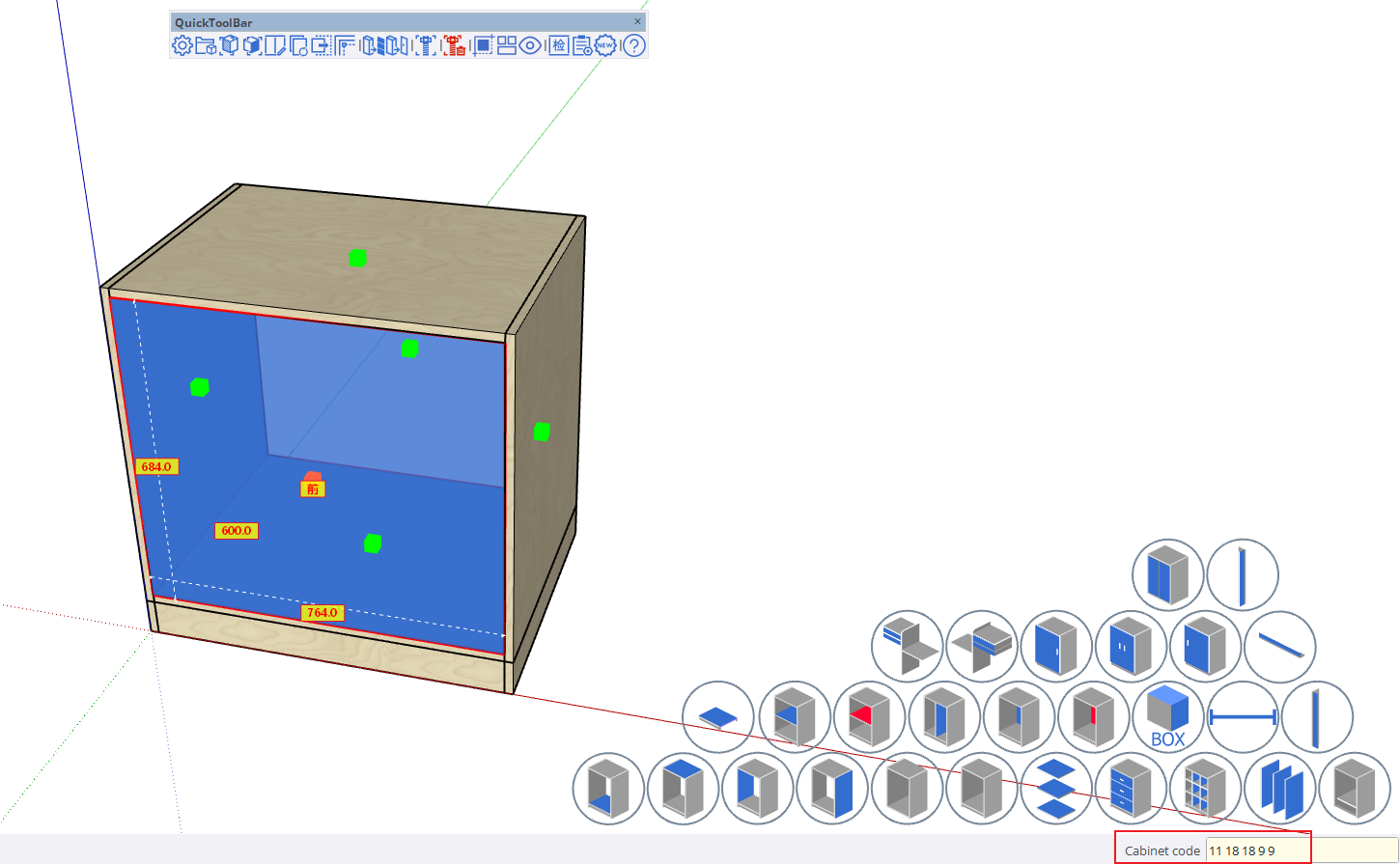
If you don't want to use automatic overlay values, you can manually input door panel overlay values in the following format:
Code TopOverlay BottomOverlay LeftOverlay RightOverlay (11 18 18 18 18), where 11 is the door code, 18 are the four directional overlay values, with overlay range 0-18
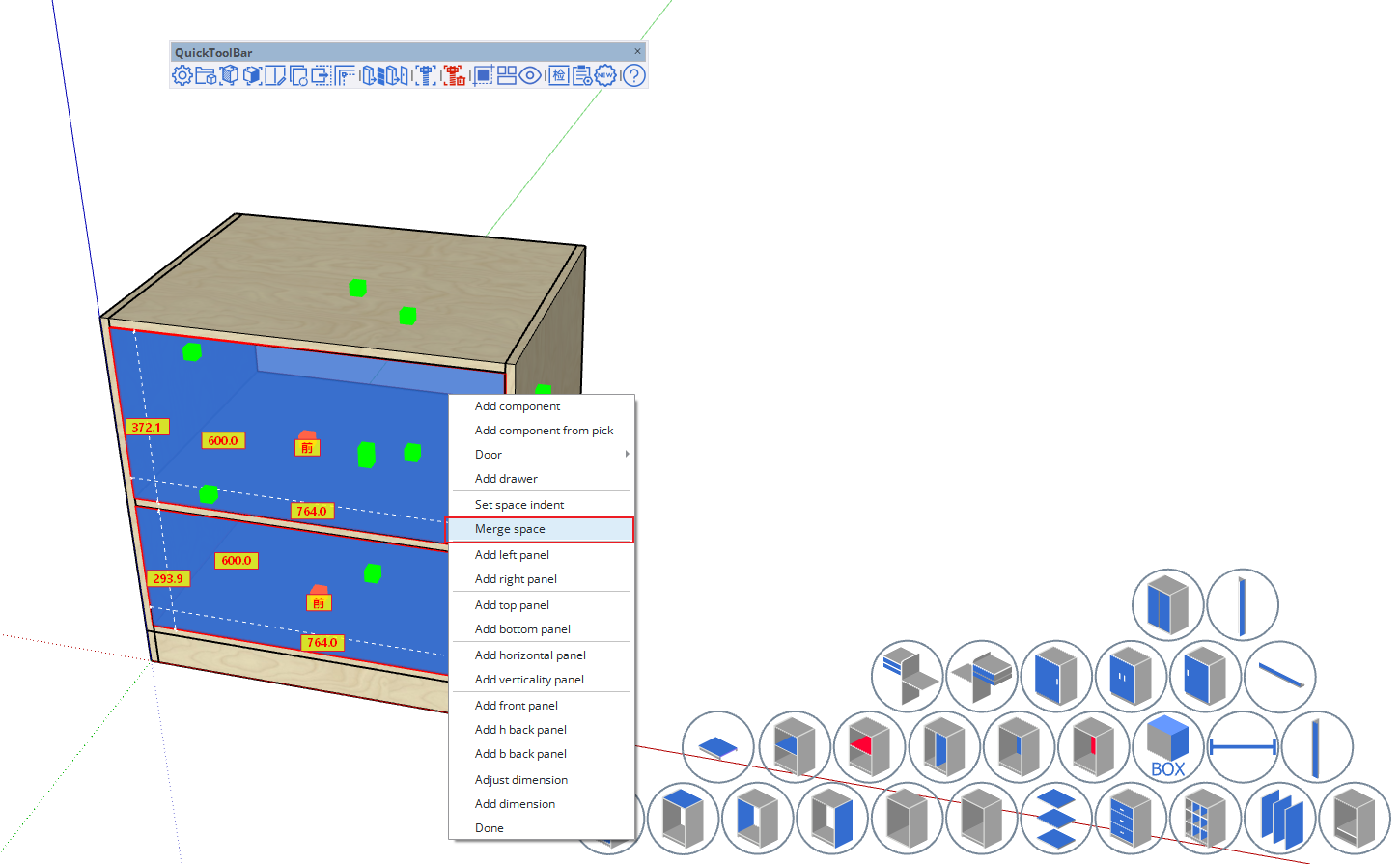
For multiple internal spaces requiring uniform door panel addition, after picking multiple internal spaces, right-click to merge internal spaces
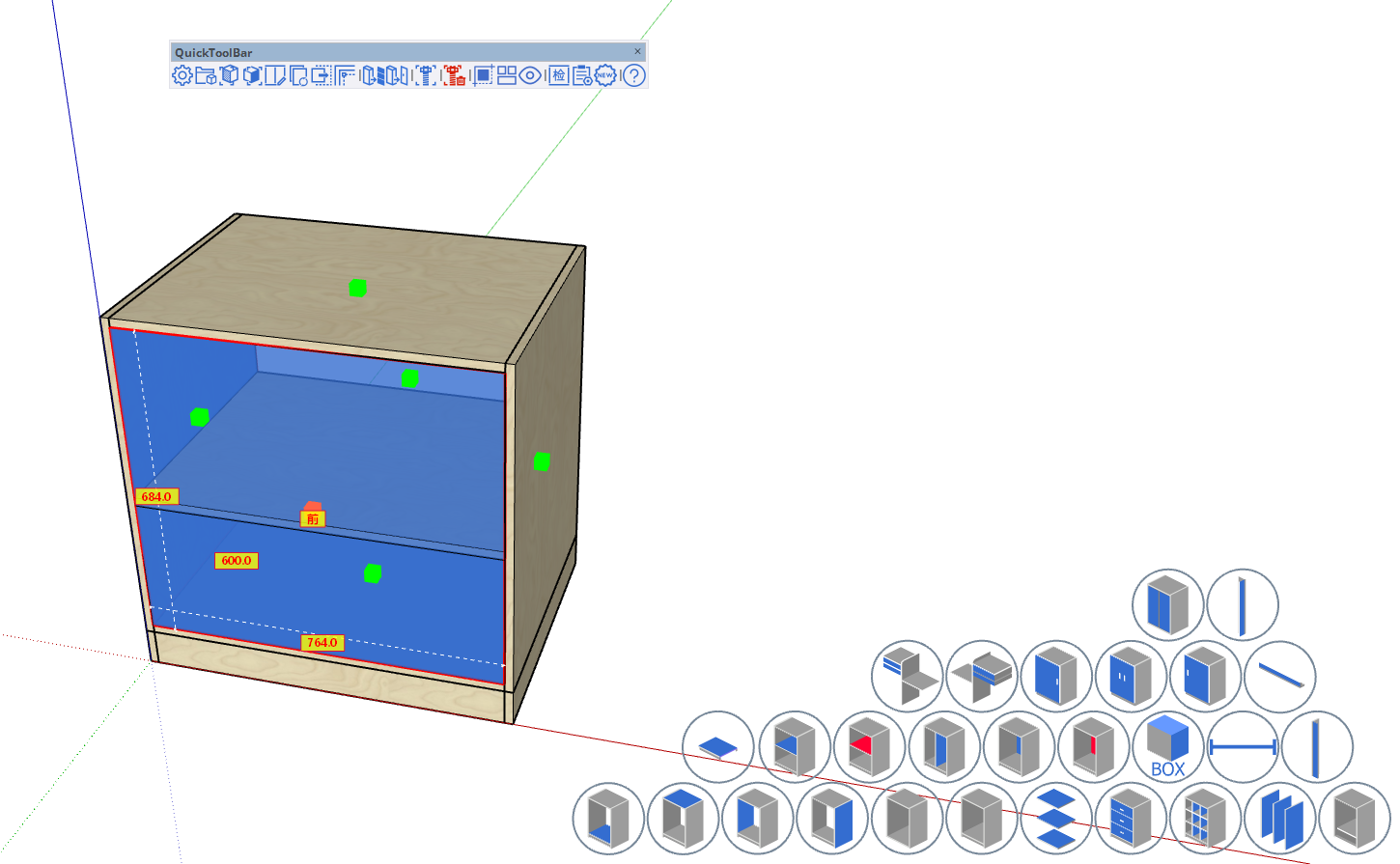
- Door panel insertion example

- How to insert door panels in other directions: Code-inserted door panels default to front direction. For insertion at the back, use the following method [other codes also apply this method]
- For example, for a single door input 10.2, where the code is followed by a dot and then 0-5
- 0 represents Front (default, can be omitted)
- 1 Right
- 2 Back
- 3 Left
- 4 Top
- 5 Bottom
- Manual overlay value input method remains unchanged, continue with spaces after

