Introduction
To allow personalized display of connector hardware colors, Zhumu supports custom color display. [Prerequisite: You must have created your own connector hardware]
Steps
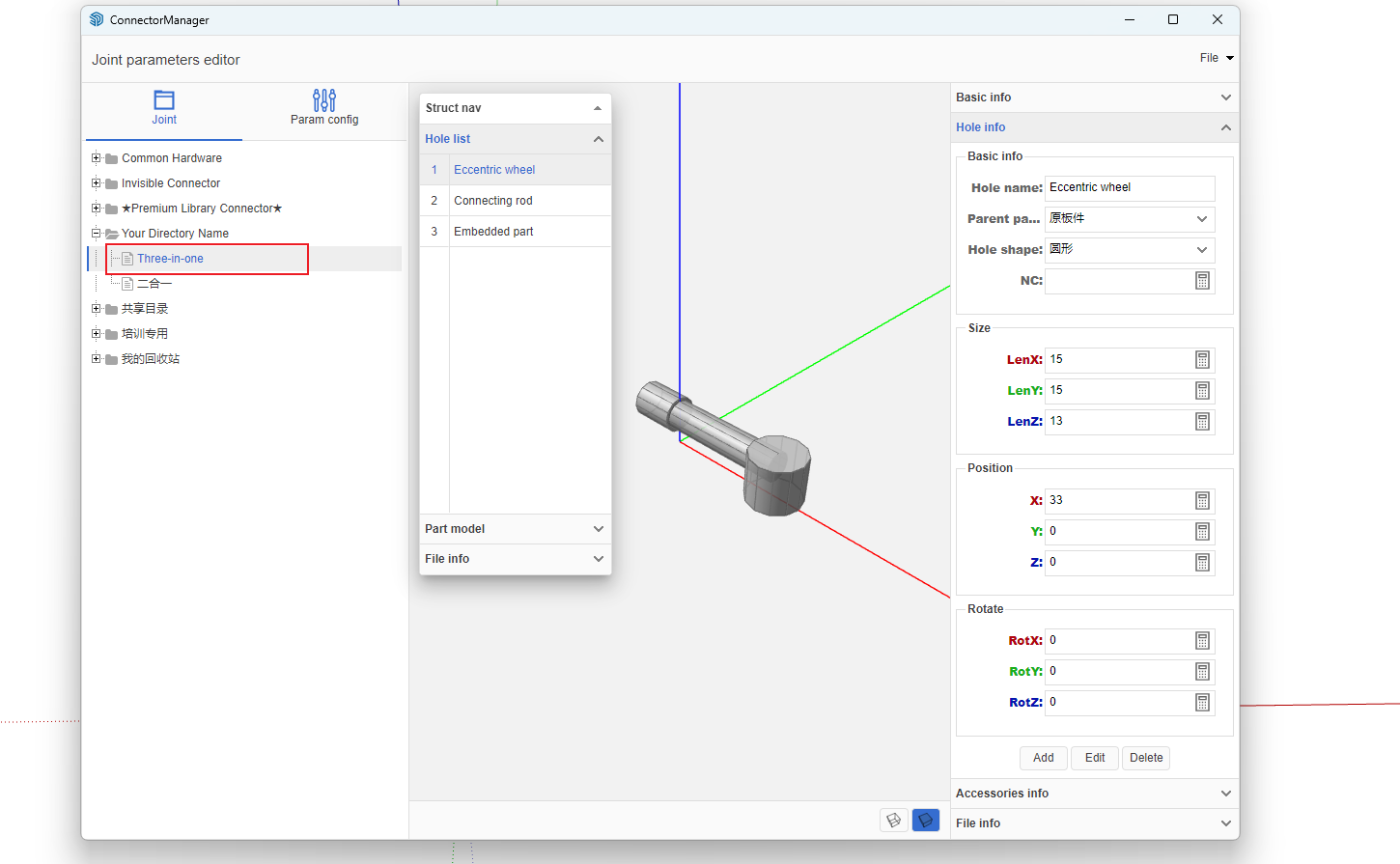
- Open the Connector Manager
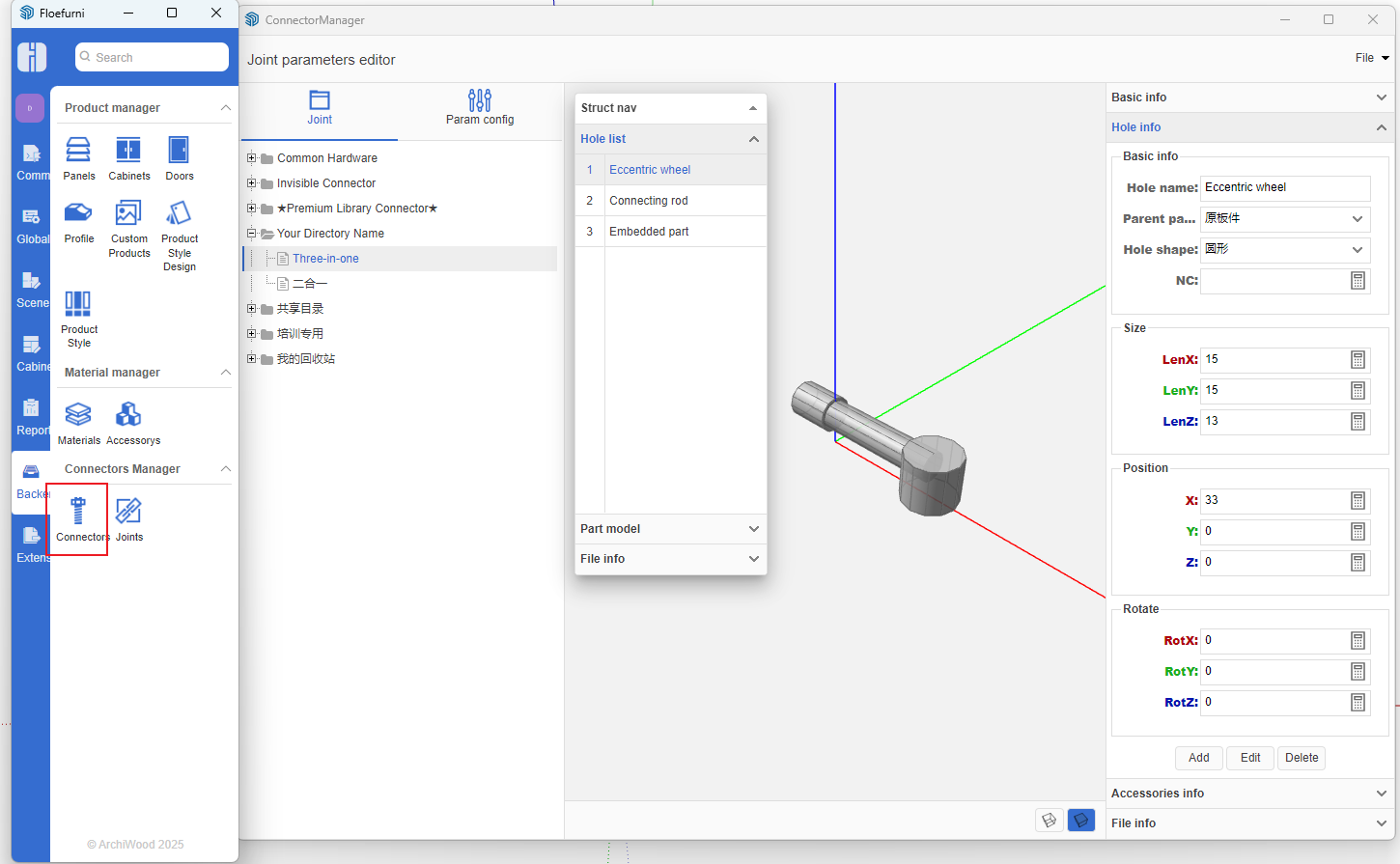
Select the connector you created
Add color parameter
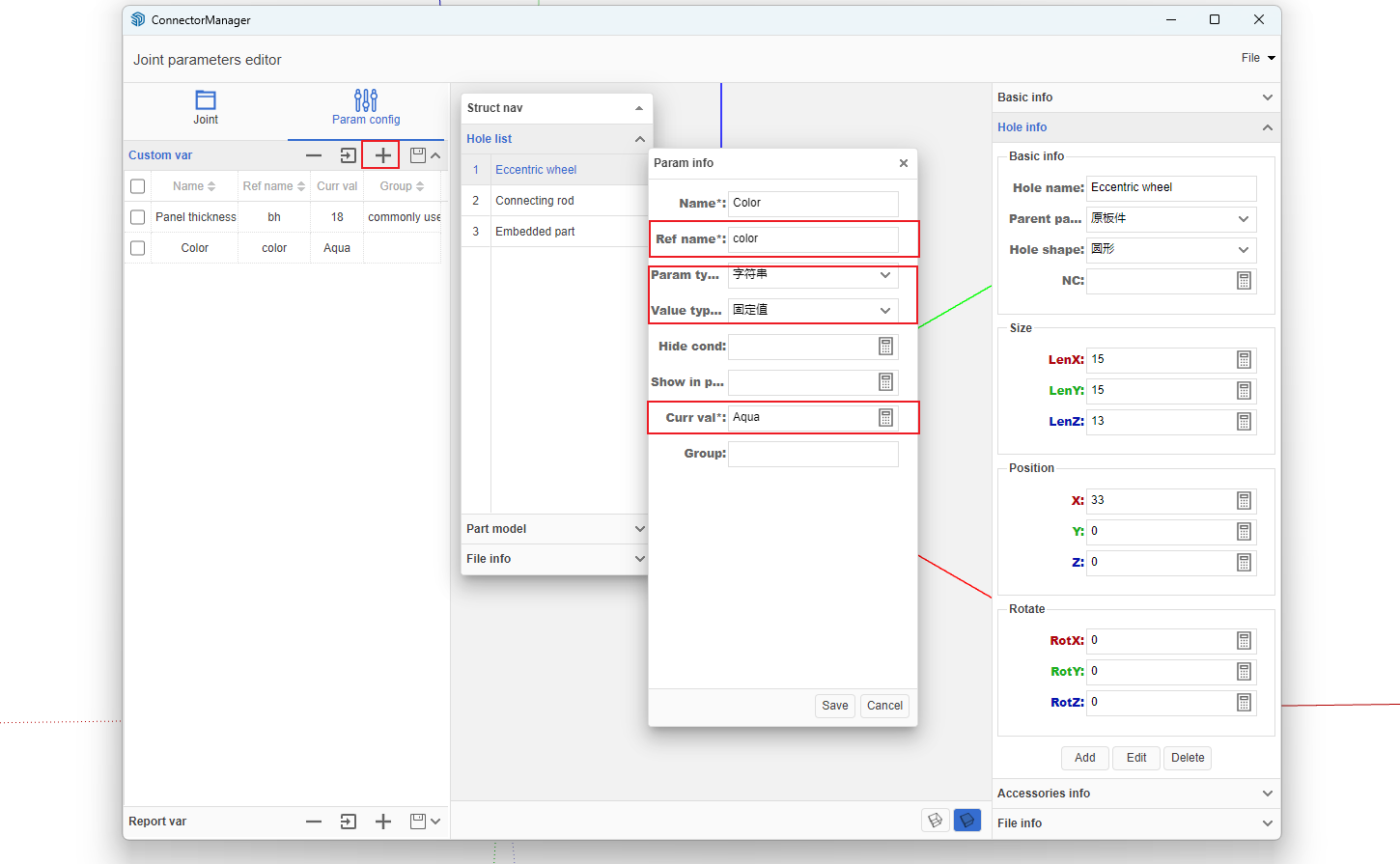
-
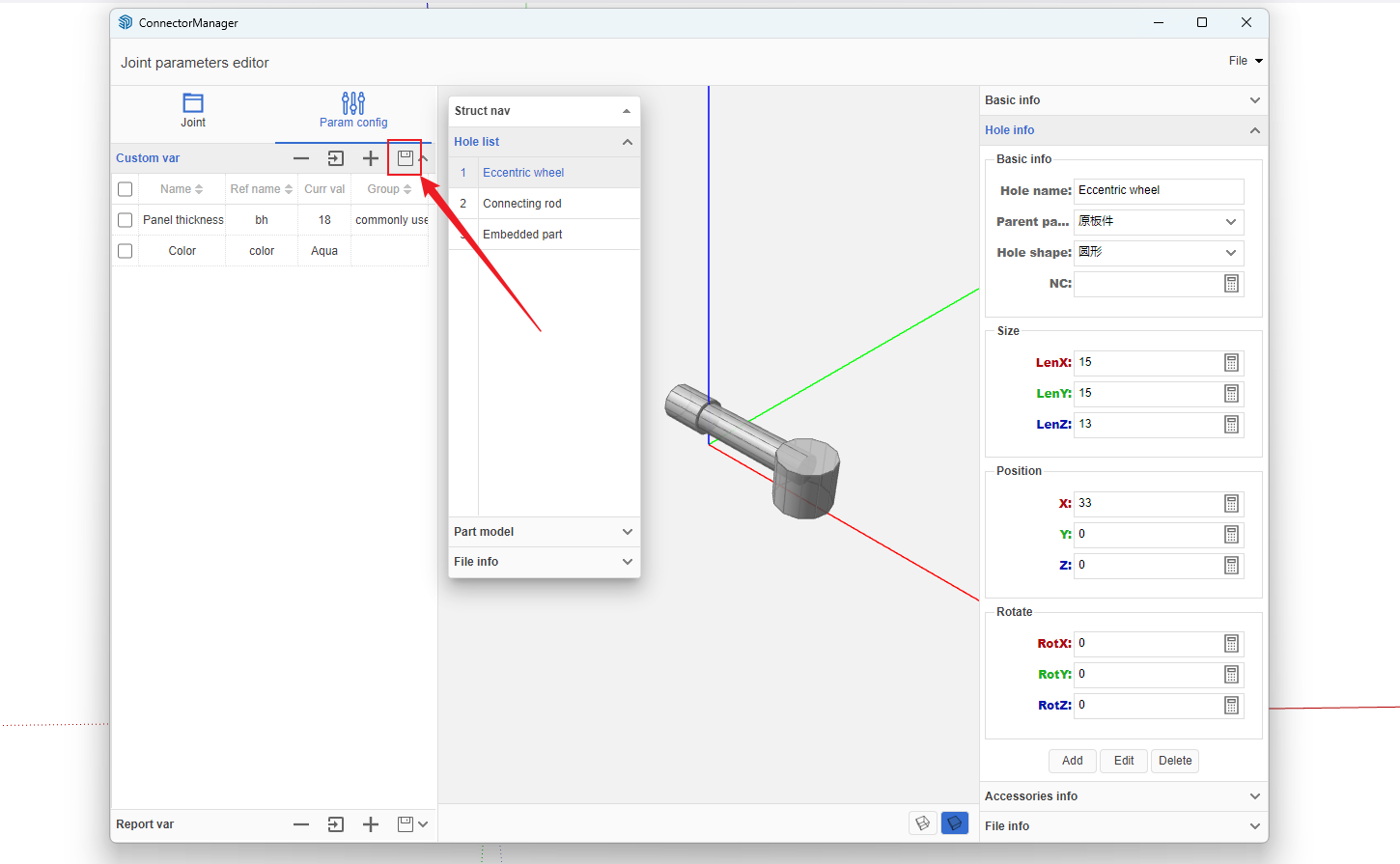
After adding the parameter, click the Save button in the parameters
 1
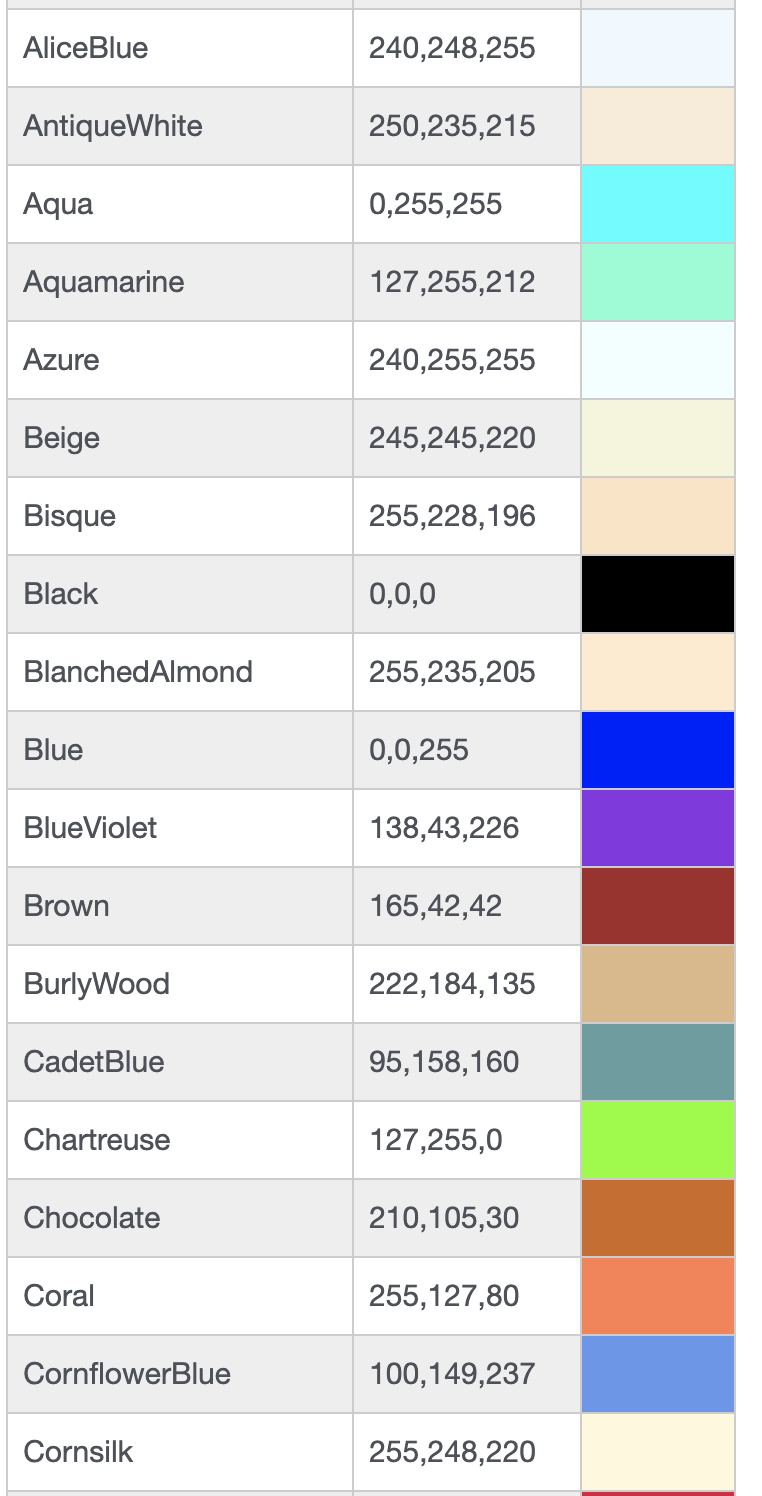
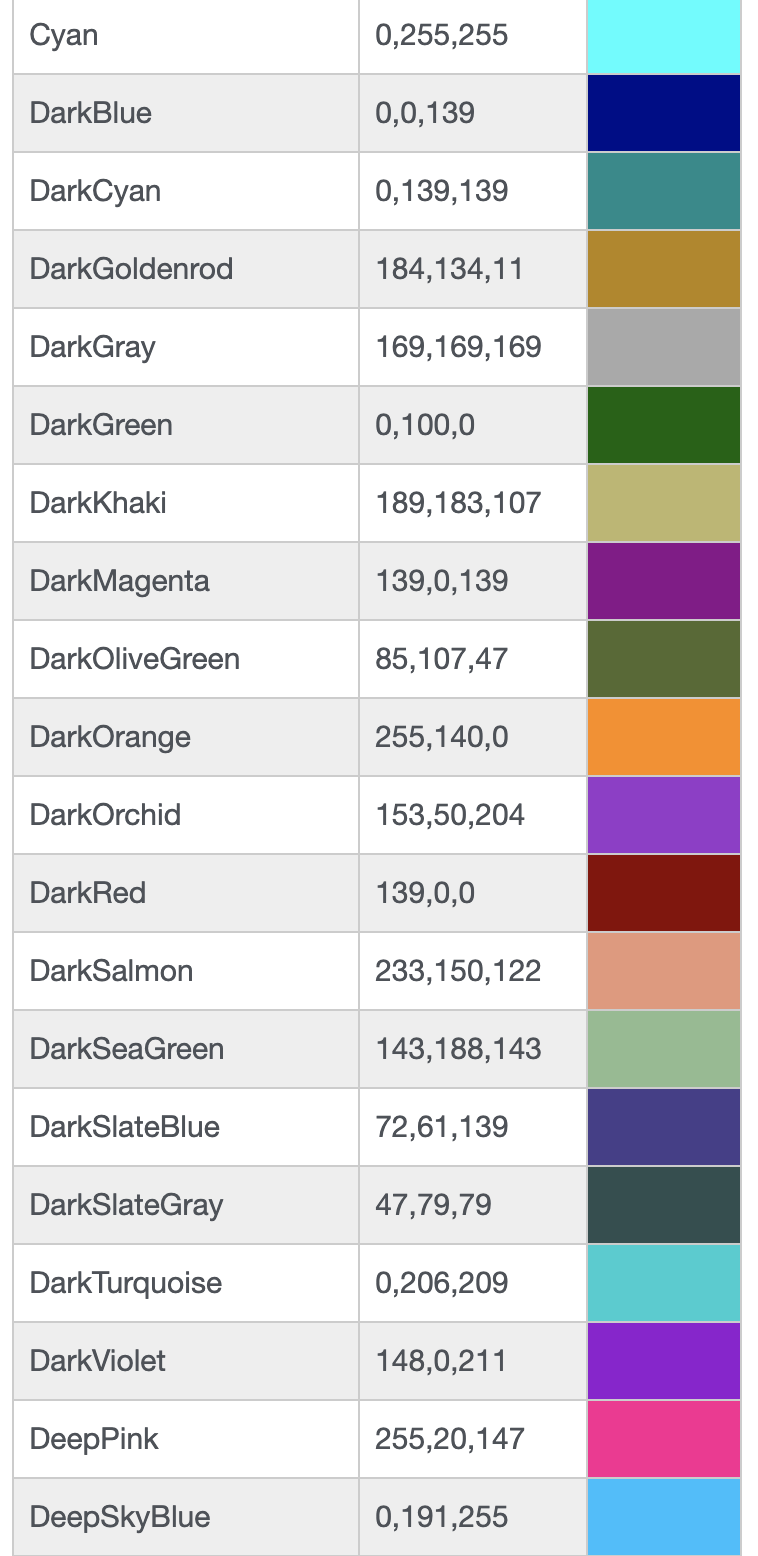
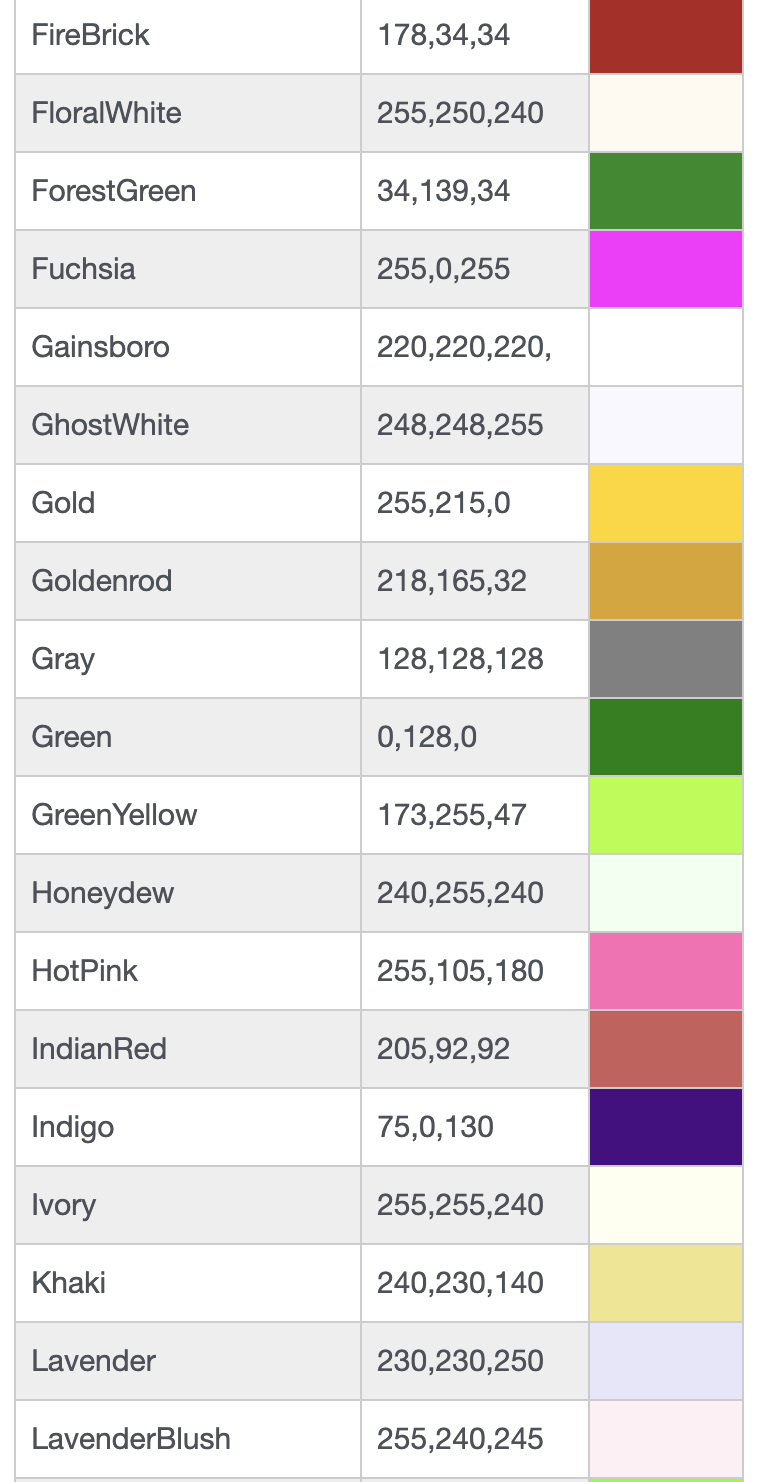
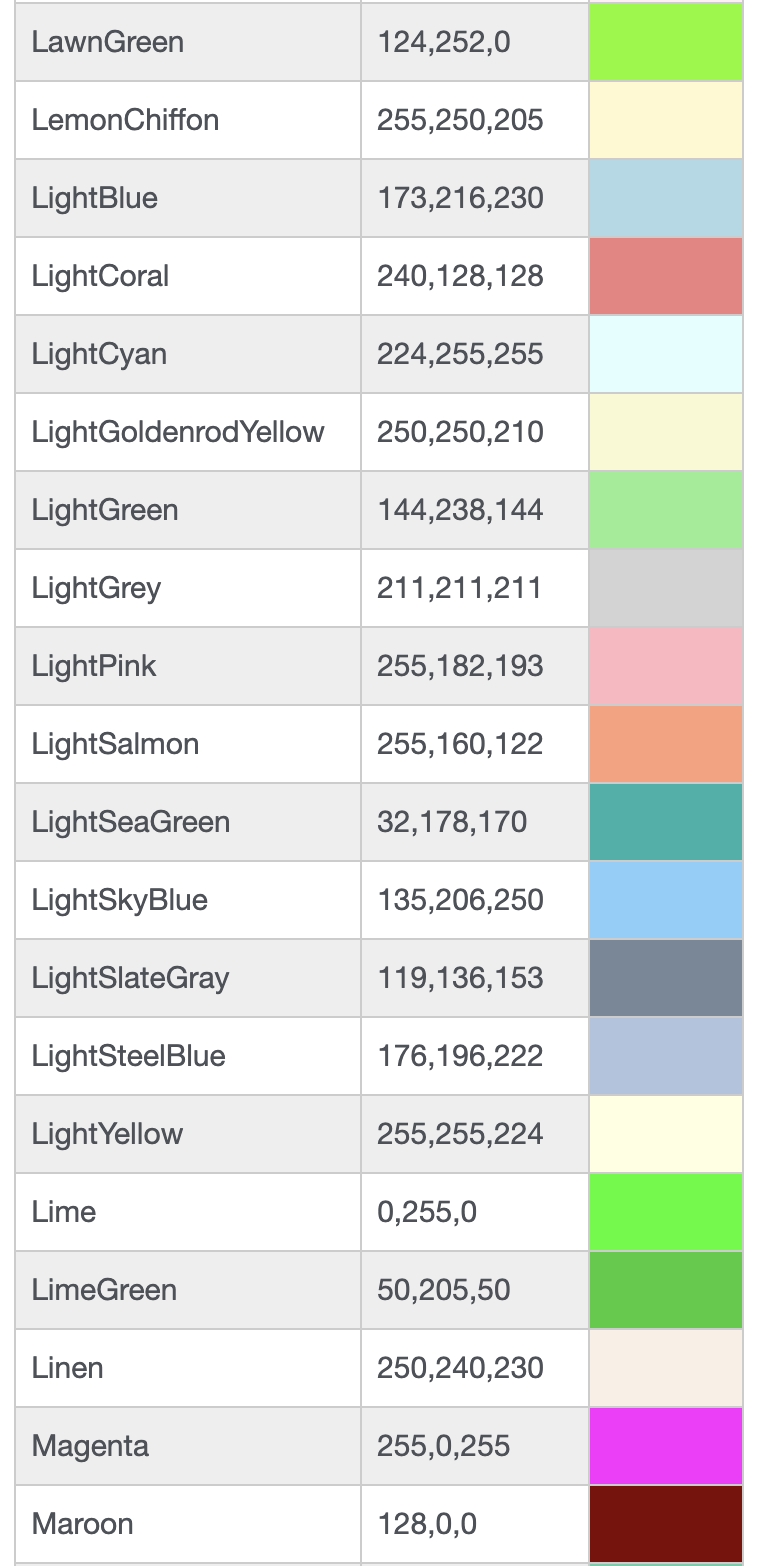
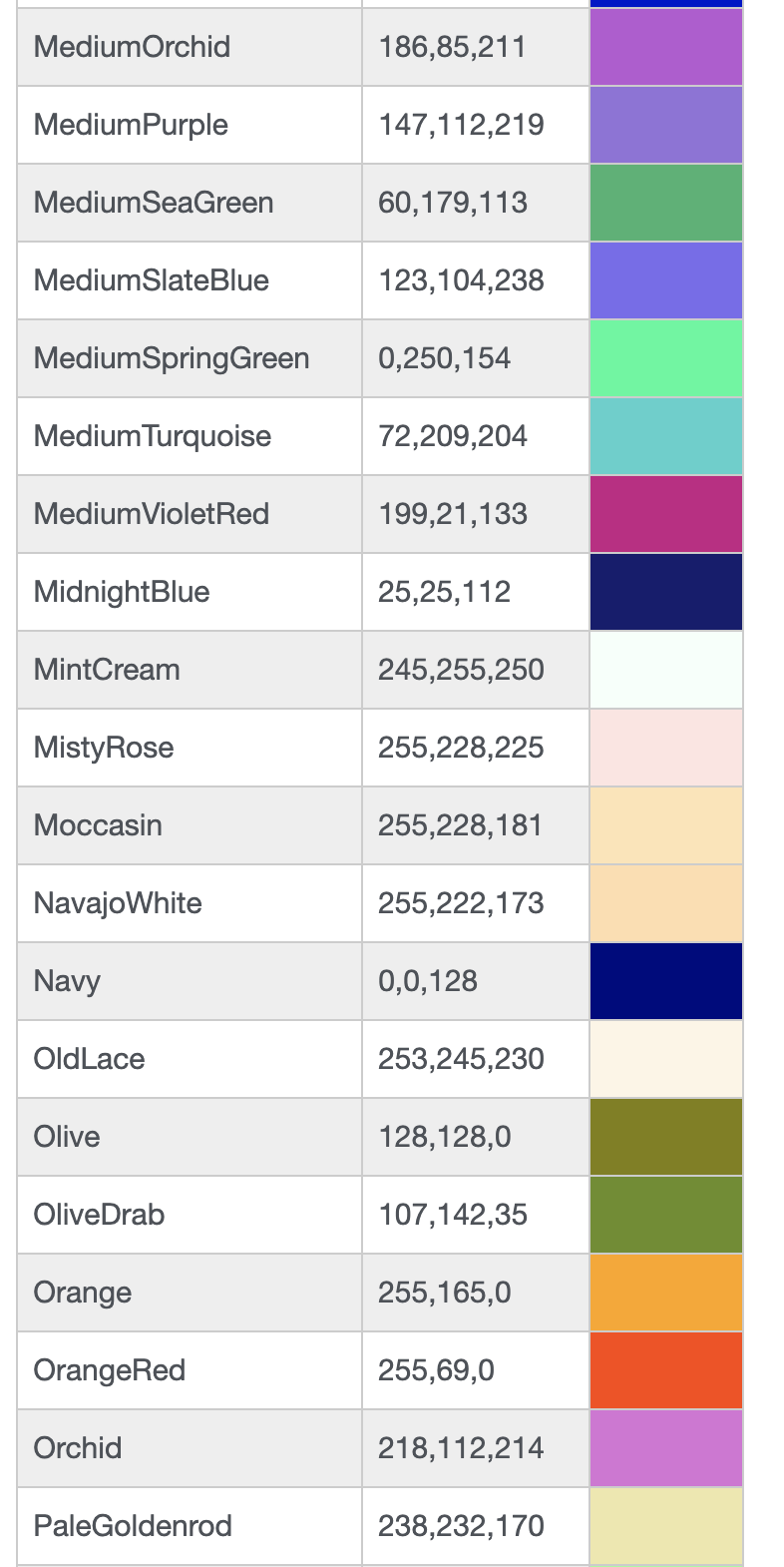
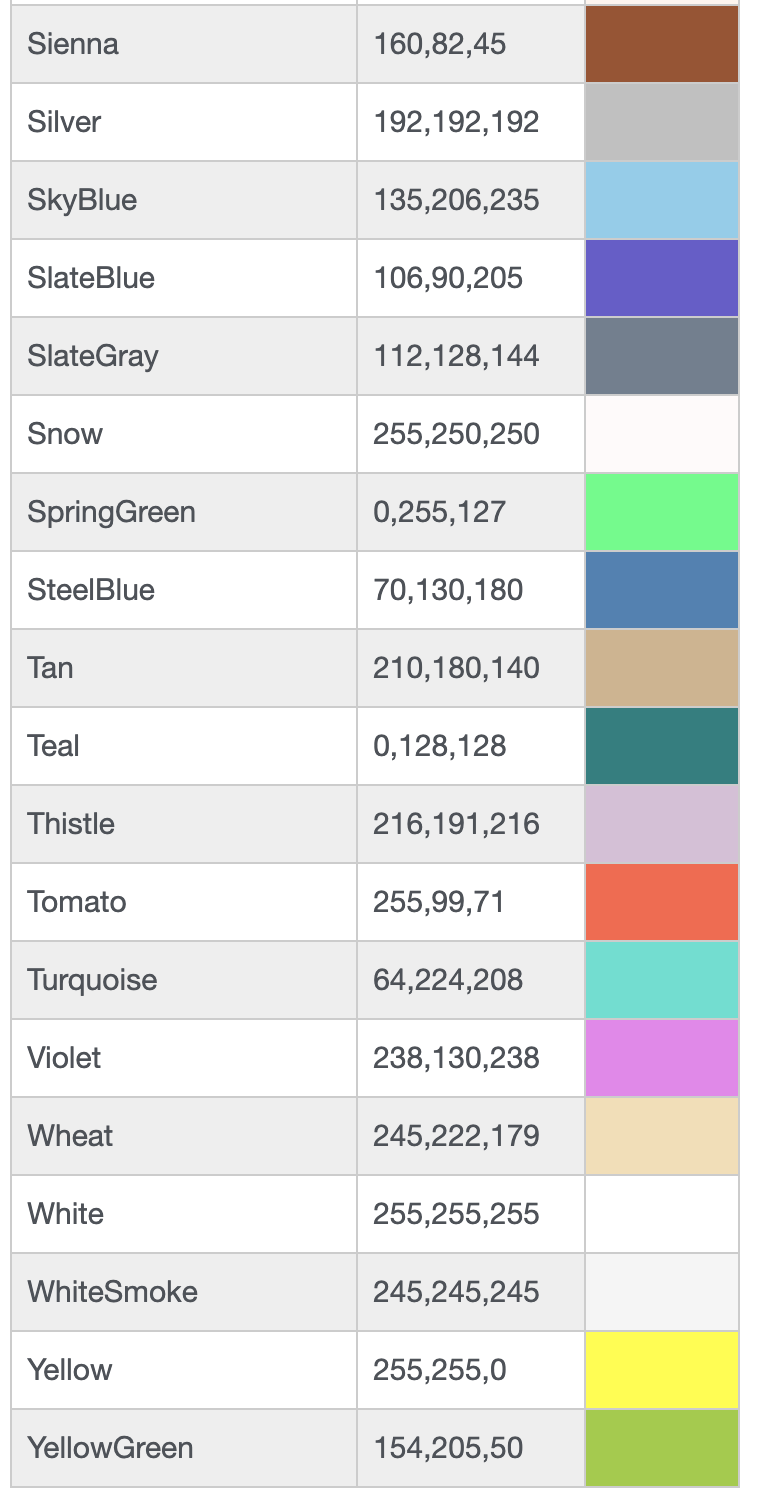
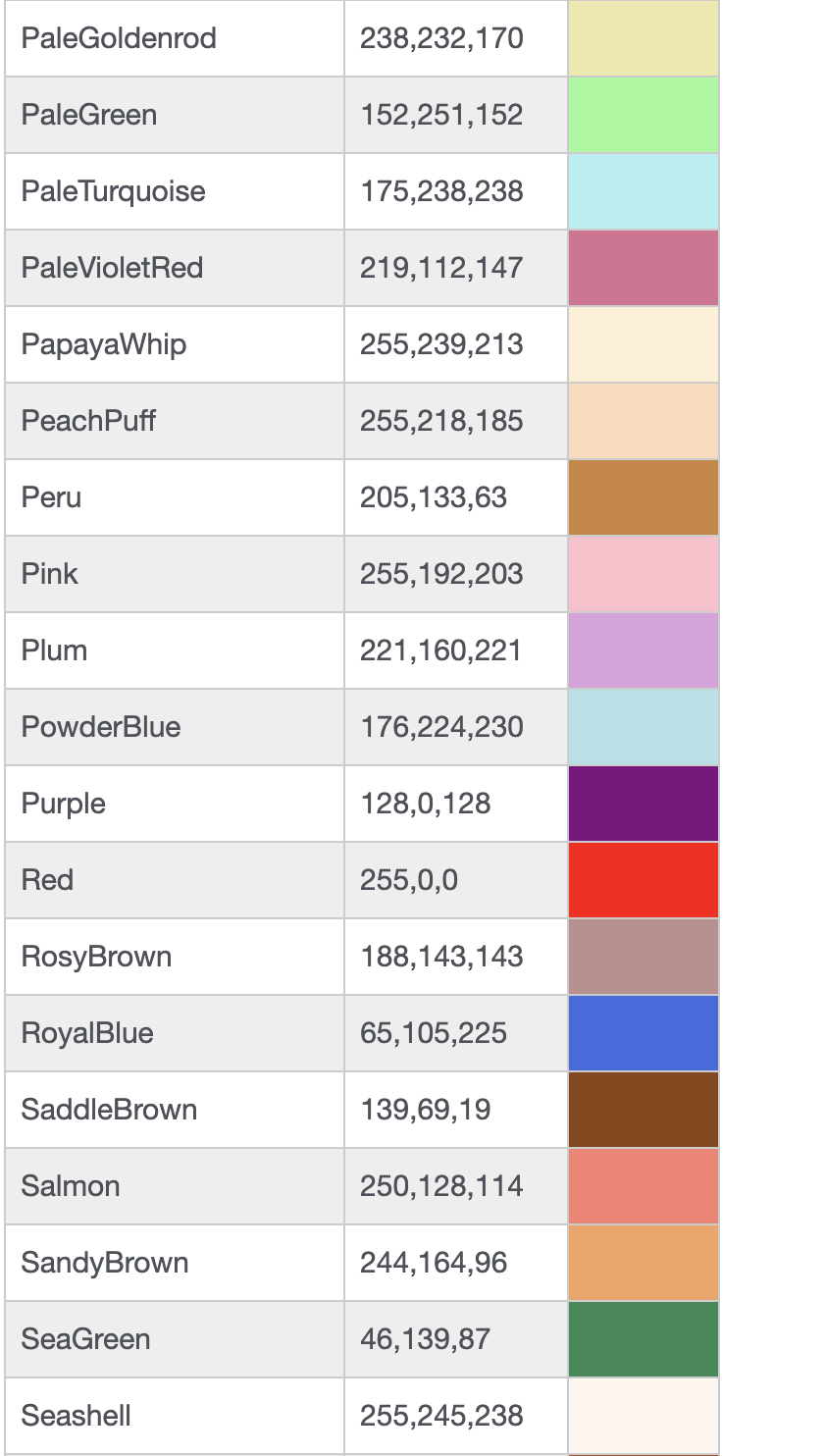
1Color Chart