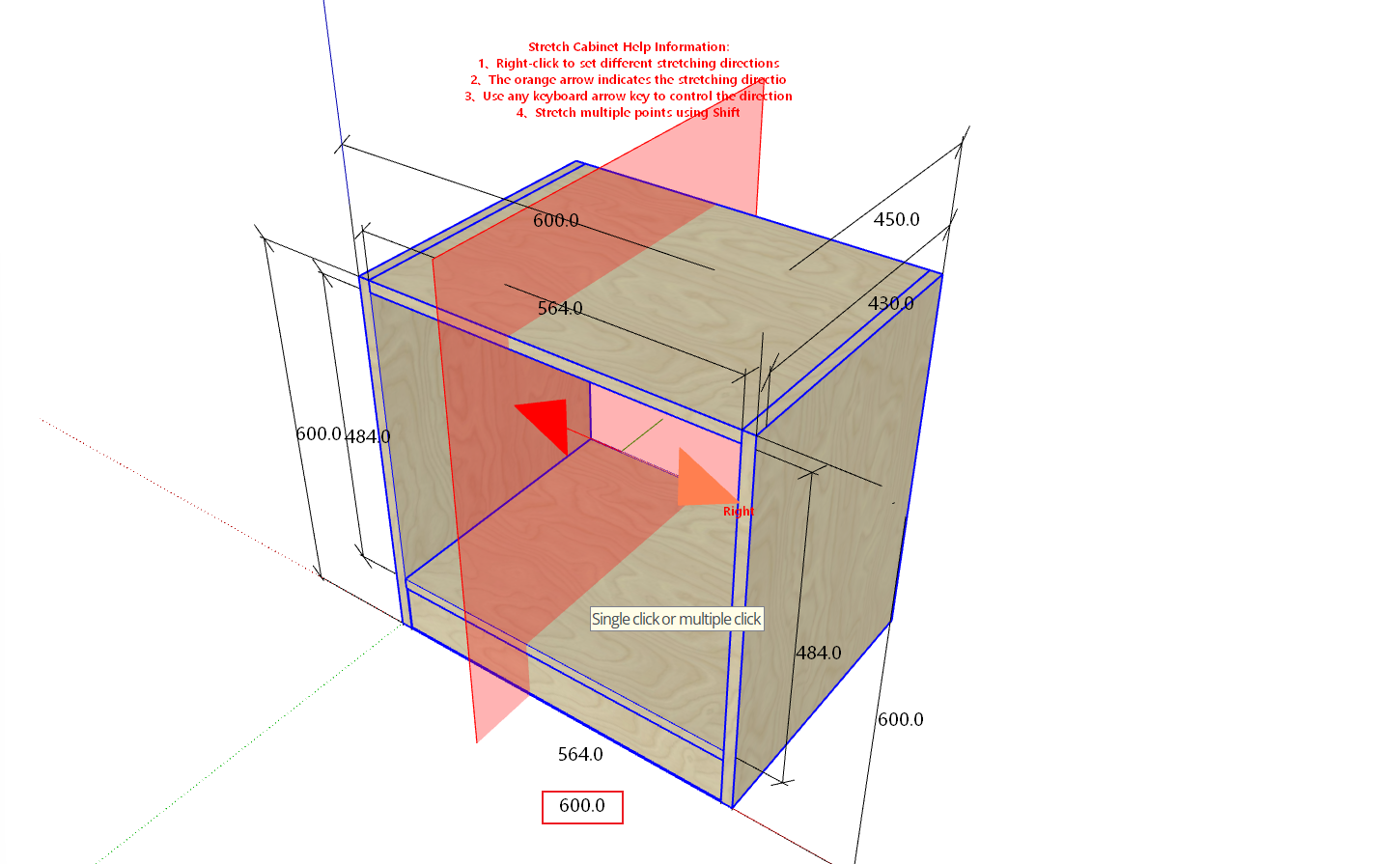
Introduction
For cabinets that have already been created (including freely drawn cabinets and parametrically drawn cabinets), you can quickly modify their dimensions using the stretch function. Below is the detailed tutorial.
How to Use the Stretch Function
- Select any cabinet
- Click the button -> Stretch Cabinet
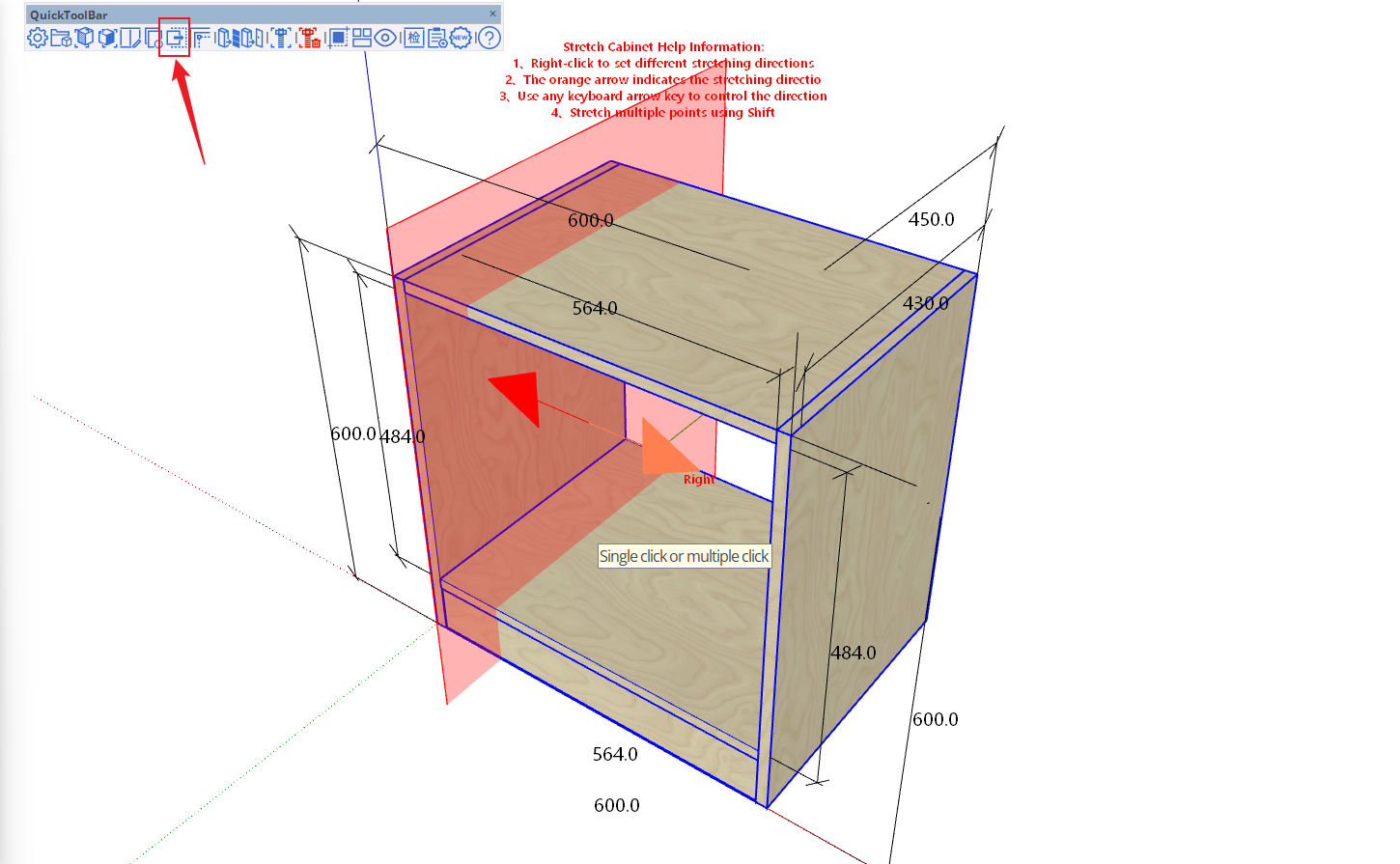
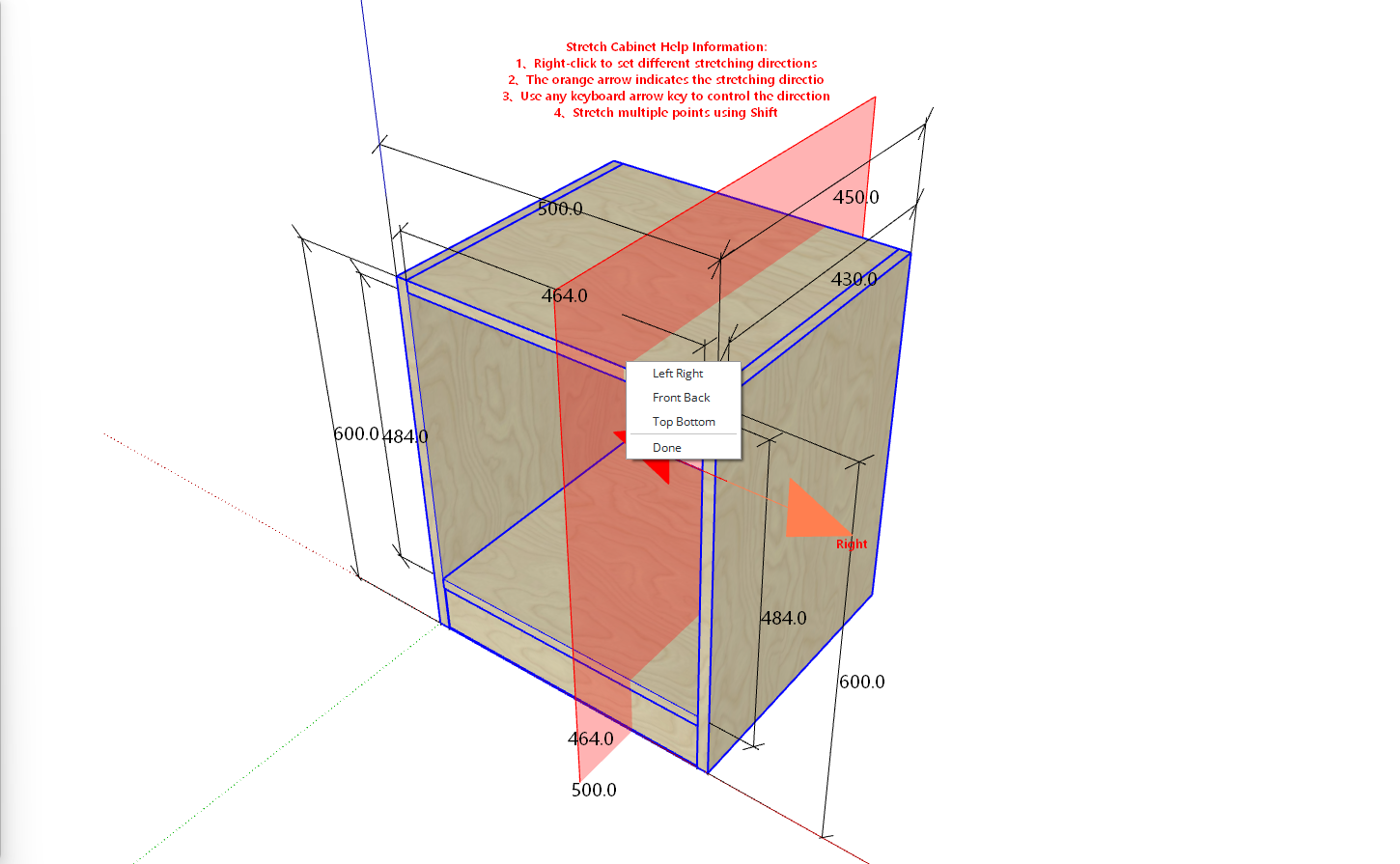
After activating this function, right-click to switch stretching methods
To stretch the cabinet width, move the mouse over the cabinet and use the left/right arrow keys (⬅️➡️) to switch stretching directions
- After determining the position, click the mouse to bring up the following dialog box:
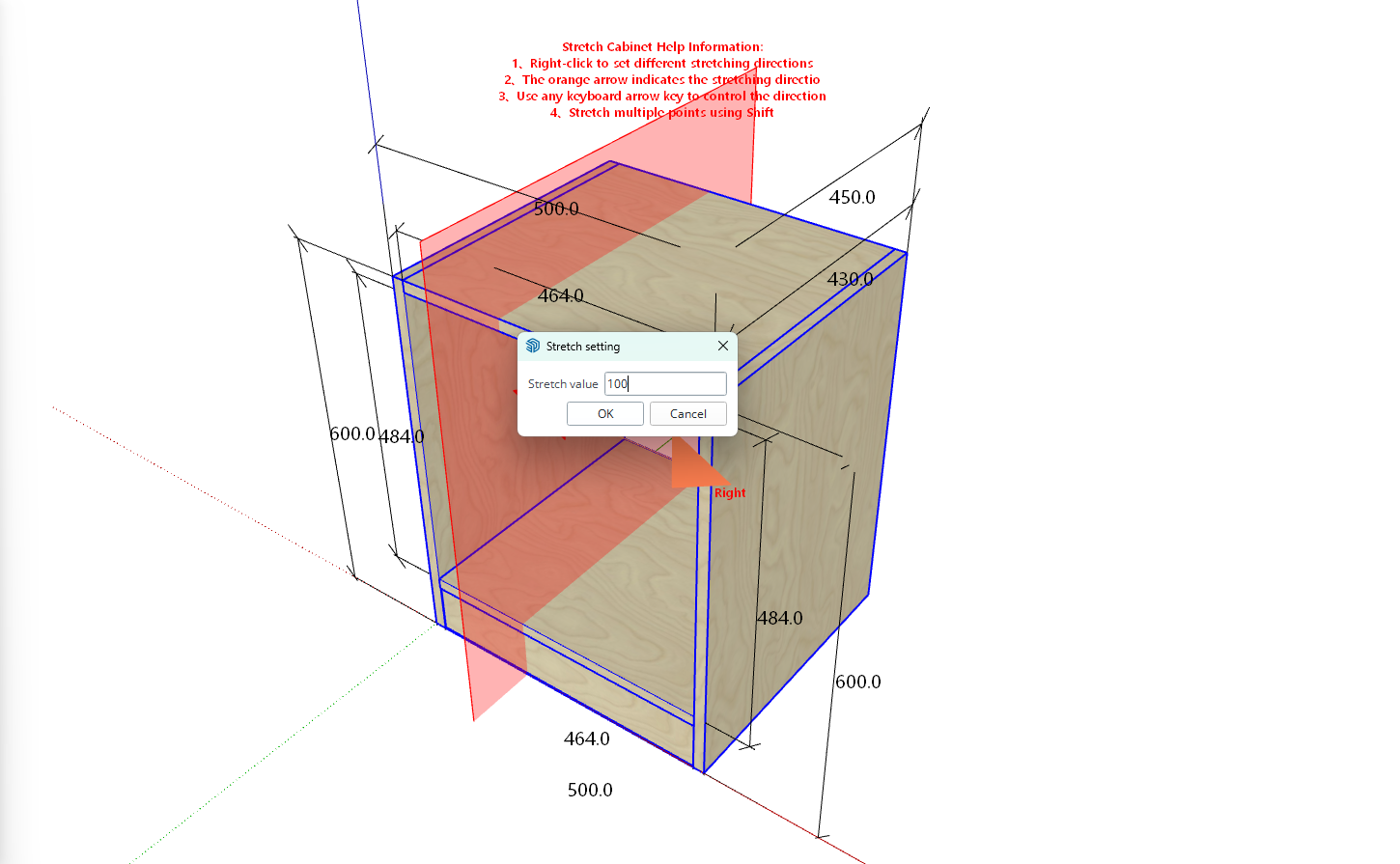
- Enter a distance of 100, and the cabinet will stretch 100mm along the orange arrow direction starting from the mouse click position