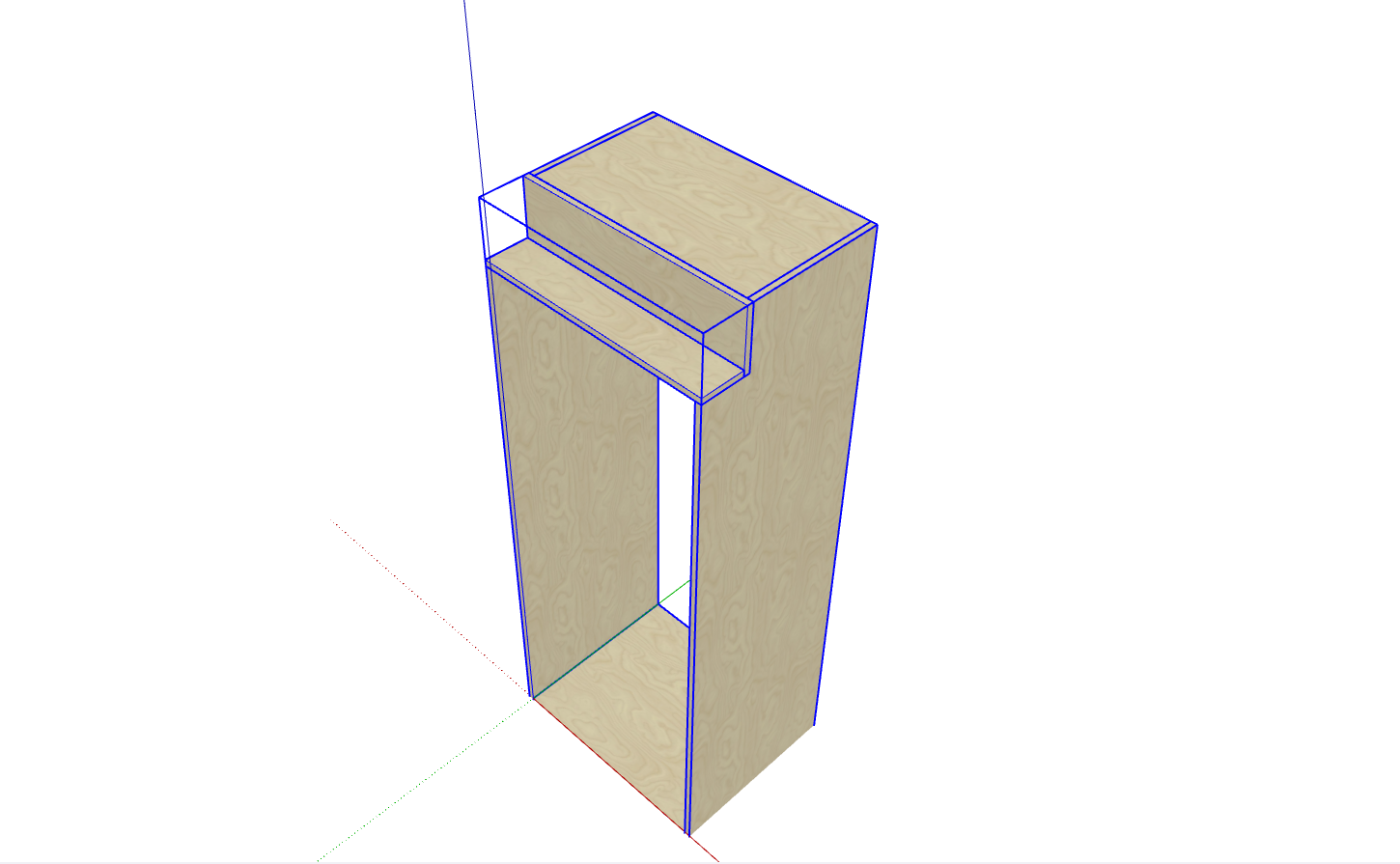
Introduction
After creating a standard cabinet, you may discover an on-site column that requires adjusting the cabinet's shape. The corner cutting function allows you to freely cut corners of any size and orientation. The detailed process is as follows:
- Select the cabinet, right-click to open the function menu, and click "Corner Cutting"
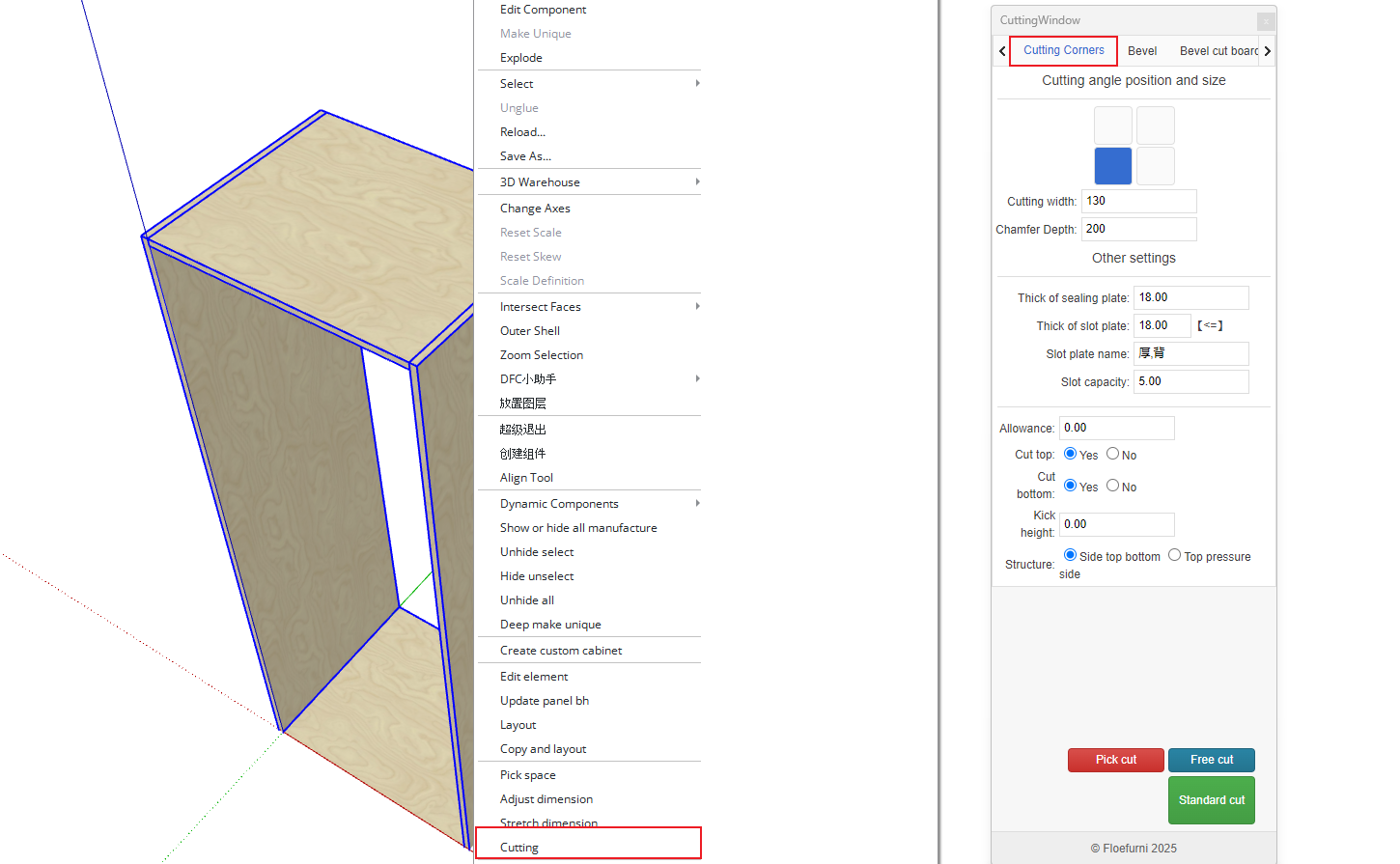
Important: Before corner cutting, ensure all hardware components have been removed from the cabinet; otherwise, corner cutting cannot be performed.
Follow the click sequence from 1 to 4 as shown in the diagram.
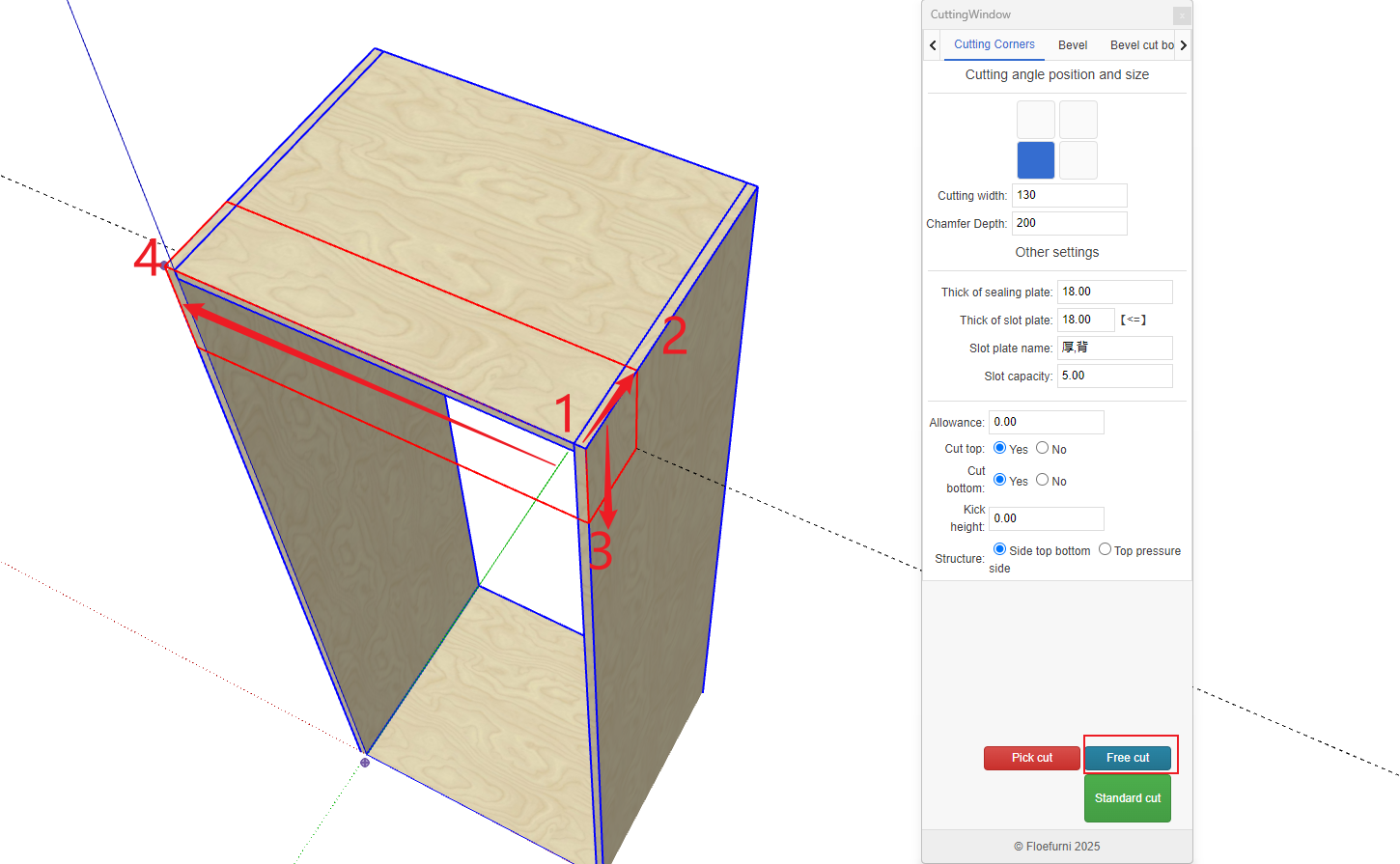
Configure the sealing panel settings
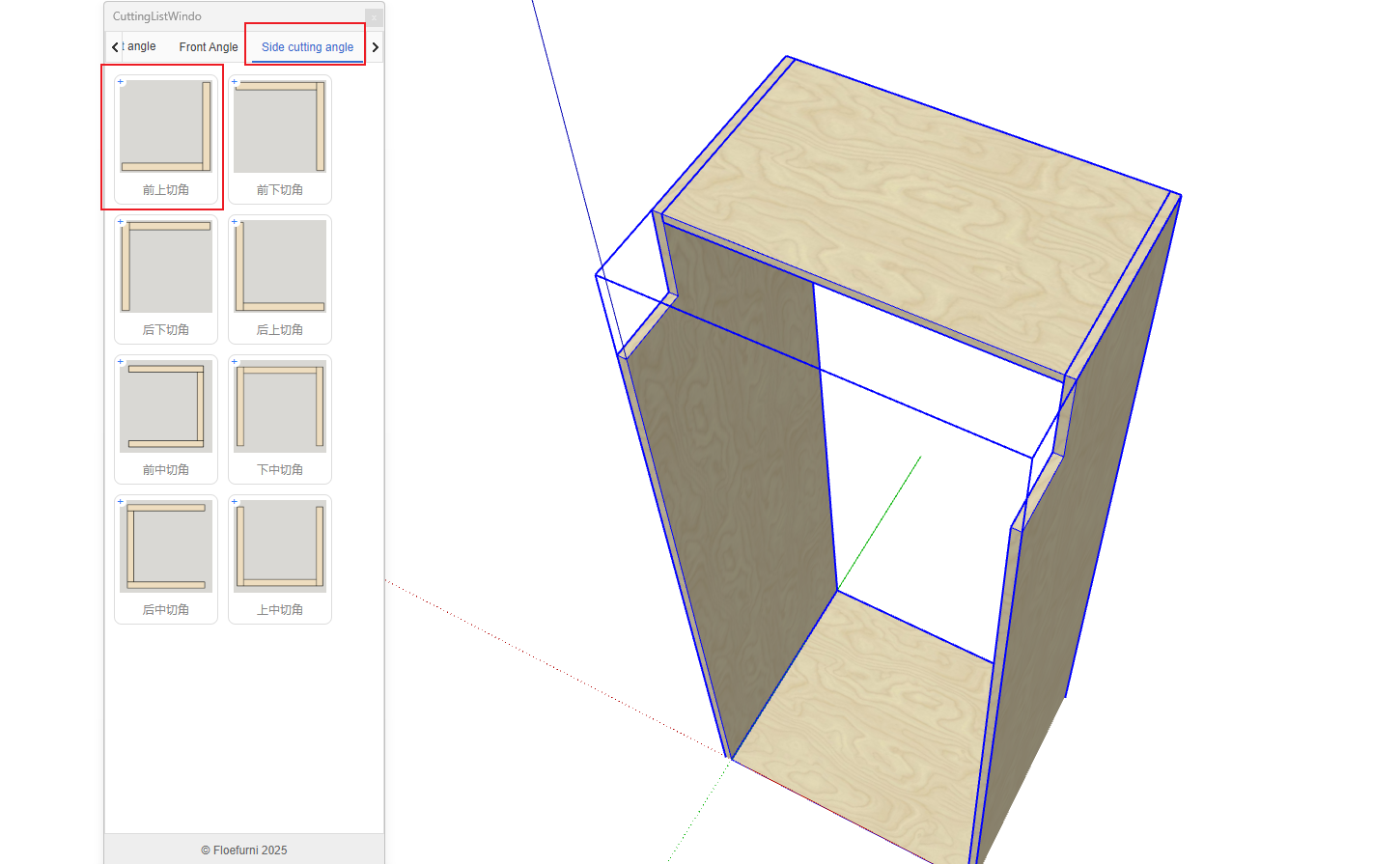
The final result is shown below. Note: While this corner cutting function currently allows free corner cutting, the resulting craftsmanship may not meet all manufacturers' requirements. If the outcome doesn't satisfy your process standards, you can manually adjust the position and dimensions of the panels.